What is a Space?
A Space is where all the action happens in Vani. It’s your team’s shared hub for brainstorming, planning, creating, and reviewing work together.
Each Space opens as an infinite canvas where you can drop your ideas, build workflows, collaborate in real time, and bring your projects to life.

Think of a Space as a virtual project room. A place where the right people, content, and context all come together.
Why use a Space?
Spaces bring your team and work into one place. Instead of scattered documents and long chats, a Space gives you a shared visual board to work things out together.
You can create a separate Space for each project, initiative, or topic. For example:
-
A marketing team might have Spaces for "Q3 campaigns," "Social media creatives," or "Launch strategies"
-
A product team could use Spaces like "Feature roadmap" or "User journey mapping"
-
A design studio might create separate Spaces for different clients or projects
Each Space helps you keep work focused around a topic or goal, with relevant people and content organized in one place.
A glimpse of what you can do in a Space
-
Map out ideas visually with diagrams, wireframes, lists, and mind maps
-
Collaborate live with teammates using video Catchups, live cursors, comments, and reactions
-
Plan projects and campaigns using ready-made templates
-
Embed files and tools from platforms like Google, Microsoft, Figma, Zoho, and YouTube
-
Create basic graphic creatives using the design and marketing Kits
-
Review and iterate together with clear feedback loops and more
Inside a Space - Zones
Every Space is made up of one or more Zones. Each Zone is its own infinite canvas. You can use Zones to break down your work into sub-projects or different stages of a workflow.
For example, if your Space is called “New feature launch,” your Zones could be:
-
Brainstorming
-
Wireframes
-
Marketing plan
-
Feedback & review
You can create, rename, and manage Zones as you go.

If you're new to Vani, don't worry. To begin, you can treat a Space as a single infinite canvas. As your work grows, you can create more Zones inside the same Space to keep things organized.
Who can access a Space - Spacemates
Teammates you invite to a Space become its Spacemate. Spacemates can have different permissions like Owner, Organizer, Editor, Commenter, or Viewer.
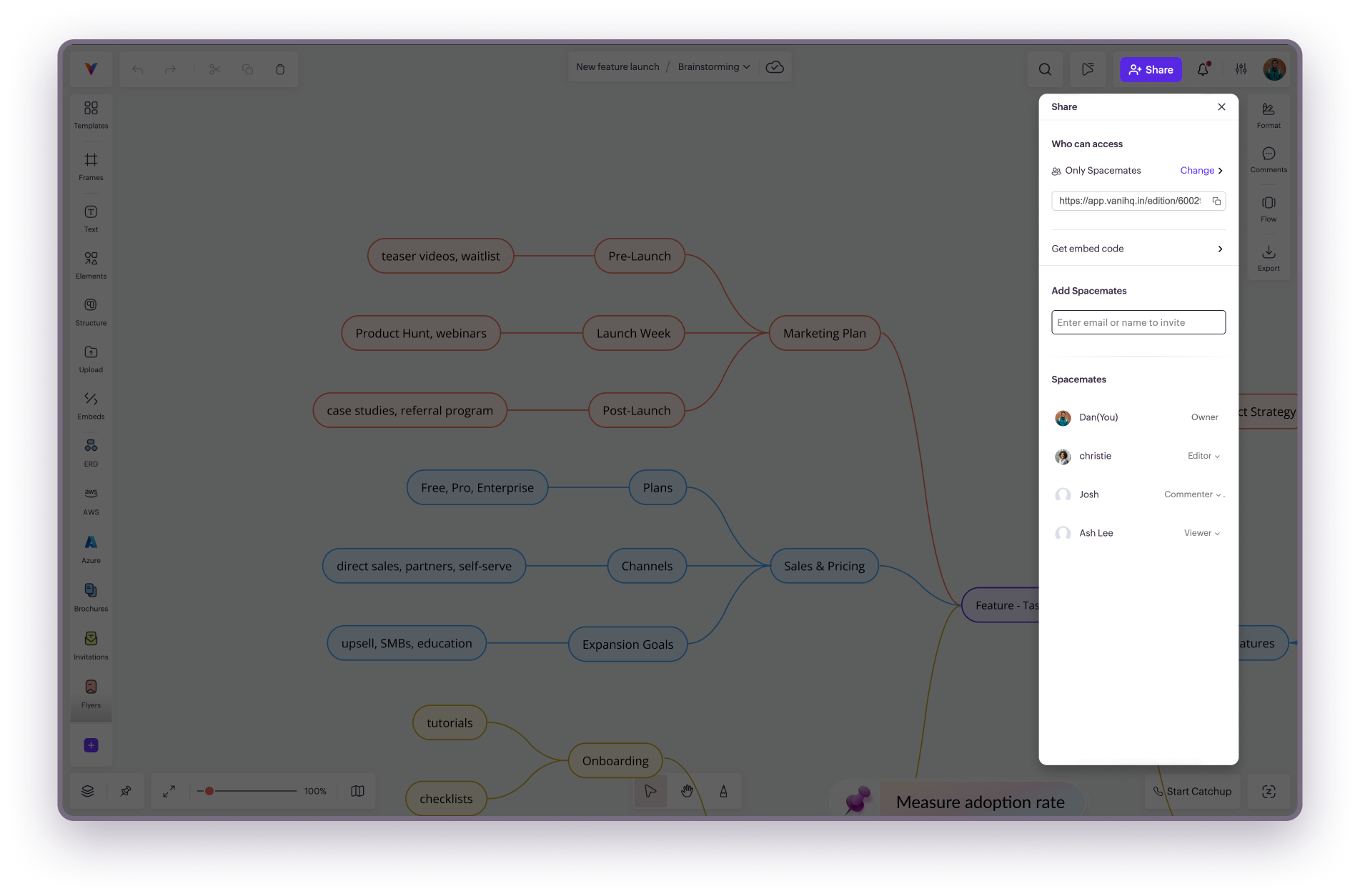
See full breakdown: Spacemates and permissions

A Space is always linked to the team in which it was created. If you're part of multiple teams in Vani, you’ll see your Spaces grouped under each respective team on the listing page.
Importing your work from other tools
You can import content from other platforms like Miro and Jamboard into Vani. Your imported boards will become new Spaces here.
To do this:
-
Click Import in the top-right corner of the listing page.
-
Drag and drop exported files from Miro or Jam. They’ll be converted into Spaces in Vani.
What to read next